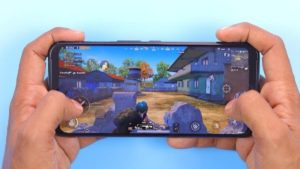



Game simulators have become increasingly popular among gamers due to their ability to emulate console games on different platforms.

Key Takeaway: What Are the Best Game Simulators on PC and Mobile in 2026?
The best game simulators deliver mathematical physics fidelity, realistic vehicle handling, and authentic operational mechanics. The reigning leaders across simulation genres in 2026 are Microsoft Flight Simulator 2024 (unrivaled aerial aerodynamics and global satellite digital twin), BeamNG.drive (real-time soft-body vehicle physics and structural destruction), Euro Truck Simulator 2 (relaxing open-world logistics and European highway network), and Assetto Corsa Competizione (laser-scanned GT3 racing dynamics).
- Physics Engine Accuracy: Sub-millimeter collision deformation, atmospheric air density, and tire friction slip models.
- Hardware Peripherals: Native support for Direct Drive steering wheels, HOTAS flight yokes, rudder pedals, and VR headsets.
- Active Modding Communities: Extensive catalogs of community-created vehicles, custom airports, and realistic scenery packs.
These Game simulators offer a range of features and customization options, allowing players to recreate the gaming experience on their own terms.
Whether you’re looking to relive classic titles or explore new games, game simulators are a versatile and convenient tool for any gaming enthusiast.
Here are 10 of the best game simulators that you should consider gaming.
Also Read:
- 10 Best Puzzle Games in 2023
- 15 Best offline games for android in 2023
- 6 Best Bubble Shooter Games You Must Play in 2023
1. Retro Arch
RetroArch is a free and open-source front-end for emulators, game engines, video games, media players, and other applications.
It is available for a variety of platforms, including Windows, Mac, Linux, Android, and iOS.
RetroArch game simulators are a popular choice for gamers looking to revisit classic titles from their childhood.
These simulators boast a user-friendly interface and support for a wide range of gaming platforms.
The gaming software is regularly updated to ensure that it runs smoothly on modern hardware.
Additionally, RetroArch’s open-source nature allows for the development of plugins and extensions that add new features and functionality.
2. Dolphin
Dolphin is an open-source Nintendo GameCube and Wii emulator for Windows, Linux, and macOS.
It is a popular choice among users looking to play Nintendo GameCube and Wii games on their computers.
Dolphin game simulators have revolutionized the gaming experience by allowing players to enjoy console games on their PC.
The software boasts a user-friendly interface and supports high-definition graphics, making it an attractive choice for gamers.
The emulator also supports a wide range of gaming controllers and provides advanced customization options for users.
With its ability to emulate games from popular consoles like the Wii and GameCube, Dolphin is a must-have tool for any serious gamer looking to expand their library of playable titles.
3. PCSX2
PCSX2 is a free and open-source PlayStation 2 emulator for Windows and Linux. It is known for its high compatibility and ability to run games at high speeds.
PCSX2 offers a variety of features, including support for multiple controller types, the ability to save and load games, and the ability to play games in high definition.
It is a popular choice among users looking to play PlayStation 2 games on their computers.
4. MAME
MAME (Multiple Arcade Machine Emulator) is a free and open-source emulator for arcade games.
It is available for Windows, macOS, and Linux. MAME is known for its high compatibility and ability to emulate a wide range of arcade games.
It also offers a variety of features, such as support for multiple controller types, the ability to save and load games, and the ability to play games in high definition.
MAME is a popular choice among users looking to play classic arcade games on their computers.
5. Visual Boy Advance
VisualBoyAdvance is a free and open-source emulator for the Game Boy Advance handheld console.
It is available for Windows, Linux, and macOS. VisualBoyAdvance is known for its high compatibility and ability to run games at high speeds.
It also offers a variety of features, such as support for multiple controller types, the ability to save and load games, and the ability to play games in high definition.
VisualBoyAdvance is a popular choice among users looking to play Game Boy Advance games on their computers.
6. Des Mu ME

DeSmuME is a free and open-source emulator for the Nintendo DS handheld console. It is available for Windows, Linux, and macOS.
DeSmuME is known for its high compatibility and ability to run games at high speeds. It also offers a variety of features, such as support for multiple controller types, the ability to save and load games, and the ability to play games in high definition.
DeSmuME is a popular choice among users looking to play Nintendo DS games on their computers.
7. ePSXe
ePSXe is a free and open-source emulator for the PlayStation console. It is available for Windows, Linux, and Android. ePSXe is known for its high compatibility and ability to run games at high speeds.
It also offers a variety of features, such as support for multiple controller types, the ability to save and load games, and the ability to play games in high definition.
ePSXe is a popular choice among users looking to play PlayStation games on their computers.
8. ARMA 3

ARMA 3 emulators are software programs that allow players to run ARMA 3, a military simulation game, on a computer or device that may not meet the game’s system requirements.
These emulators often use specialized software or modifications to simulate the game’s environment and playability, enabling users to enjoy ARMA 3 on devices with lower specs.
However, using an emulator to play ARMA 3 may violate the game’s terms of service and can lead to account bans or other penalties.
It is important to research and uses emulators cautiously and at your own risk.
9. Cities Skylines
Cities Skylines emulators are software programs that allow players to run the city-building simulation game.
These emulators often use specialized software or modifications to simulate the game’s environment and playability.
This emulator enables users to enjoy on devices with lower specs. However, using an emulator to play Cities: Skylines may violate the game’s terms of service and can lead to account bans or other penalties.
It is important to research and uses emulators cautiously and at your own risk.
10. The Sims 4

The Sims 4 emulators are software programs that allow players to run The Sims 4, a life simulation game, on a computer or device that may not meet the game’s system requirements.
These emulators often use specialized software or modifications to simulate the game’s environment and playability, enabling users to enjoy The Sims 4 on devices with lower specs.
However, using an emulator to play The Sims 4 may violate the game’s terms of service and can lead to account bans or other penalties.
It is important to research and uses emulators cautiously and at your own risk.
Simulation Games: Physics Engine & Hardware Compatibility Matrix
Realism in simulation gaming depends on aerodynamic modeling, rigid body physics, and peripheral force-feedback support. The matrix below evaluates the top simulators in 2026:
| Simulation Title | Simulation Domain | Underlying Physics Engine | Peripheral Support (FFB / HOTAS) | VR Headset Compatibility | Modding Community Depth |
|---|---|---|---|---|---|
| Microsoft Flight Simulator 2024 | Civil Aviation & Aerodynamics | 1,000+ Surface airflow CFD calculations | Full HOTAS, Rudder Pedals, Yokes | Exceptional OpenXR VR support | Massive (Thousands of add-on aircraft) |
| BeamNG.drive | Vehicular Mechanics & Crash Testing | Real-Time Soft-Body Deformation Physics | Direct Drive Wheels & H-Pattern Shifters | Experimental OpenXR VR | Unlimited custom vehicles & maps |
| Euro Truck Simulator 2 | Commercial Highway Logistics | Prism3D Engine (Pneumatic & Trailer physics) | 900-degree Wheels + Button Boxes | Native SteamVR / Oculus branch | ProMods map expansion ecosystem |
| Assetto Corsa Competizione | GT3 / GT4 Motorsports Racing | 5-Point Contact Tire Model + Laser Tracks | Fanatec, Simucube, Moza Direct Drive | Full VR cockpit view | Curated competition liveries |
| X-Plane 12 | FAA-Certified Flight Training | Blade Element Theory (Geometric lift physics) | Commercial training hardware compatible | Built-in VR controller interaction | Deep avionics & scenery scripting |
Hardware Requirements for High-Fidelity Simulation
- Single-Core CPU Performance: Physics loops (such as BeamNG node beams and MSFS flight surfaces) rely heavily on raw single-threaded CPU clock frequency.
- VRAM Capacity: High-resolution photogrammetric textures and complex cockpit glass instrumentation require a minimum of 12 GB to 16 GB of dedicated GPU VRAM.
Related Technical Guides & Architecture Deep Dives
Explore our interconnected engineering guides, protocol analyses, and benchmark comparisons across the Networking, VPNs, Browsers & Privacy knowledge cluster:
- 10 Best Gaming Browsers in 2026 (Low RAM, CPU Limiters & Discord Sync)Quick Answer: What Are the Best Gaming Browsers in 2026?
- 5 Best IP Address Grabbers in 2026An ip grabber link logger is a network telemetry and reconnaissance utility that records a connecting client's public IP address, ISP, operating…
- 15 Best Kickass Torrents & Alternatives in 2026The best Kickass Torrents alternatives in 2026 deliver reliable magnet links, verified uploader communities, and malware-free directories following the…
- Top 5 Best Standard Deviation Calculator ApplicationsThe best standard deviation and statistical calculator applications—including WolframAlpha, Desmos Scientific/Graphing, GeoGebra, Symbolab, and…